
seekey
Find and open bookmarks, open tabs, recent history, past Google searches, and your own shortcuts — all from the keyboard.
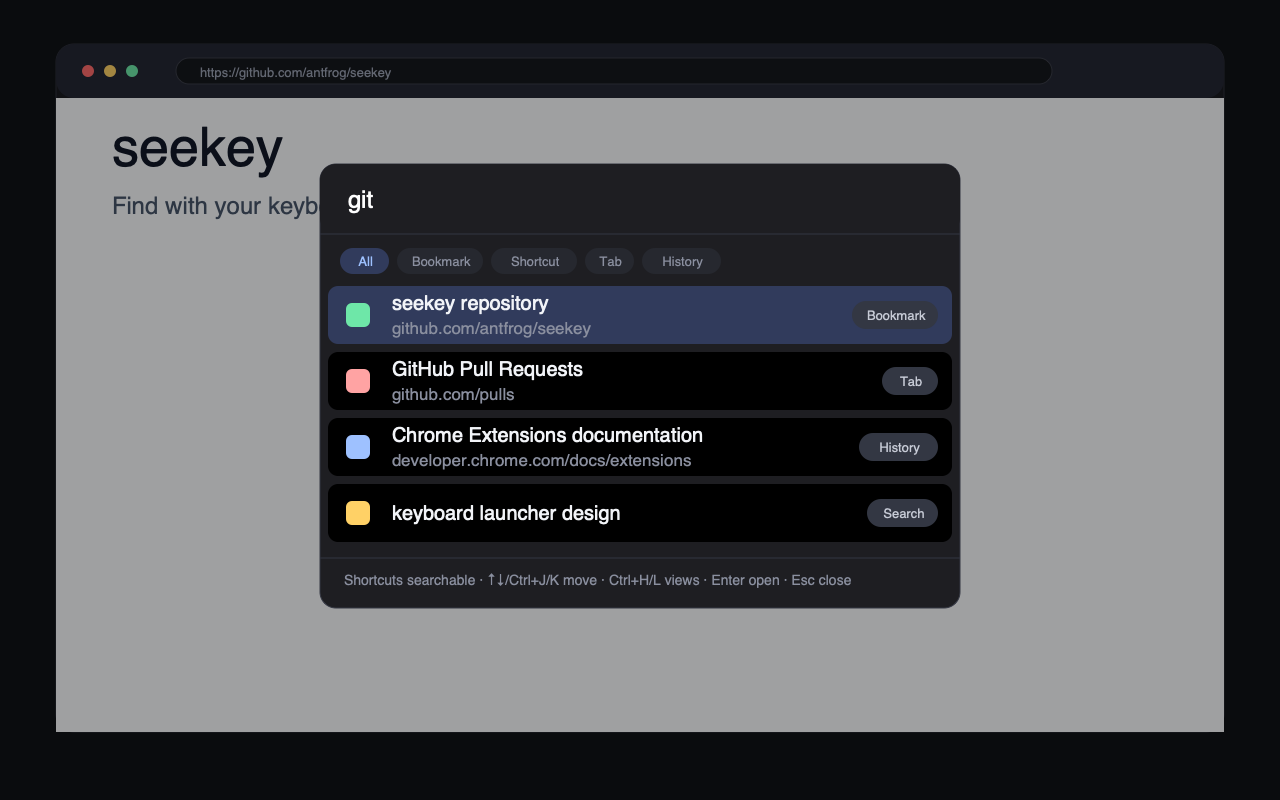
One key, five sources
Press a single leader key (; by default, configurable) on any page and start typing. seekey fuzzy-searches five sources at once and ranks results by frecency — how frequently and how recently you use each item:
- Bookmarks — everything you have saved.
- Open tabs — selecting a tab switches to it instead of reloading the page.
- Recent history — roughly the last 30 days (optional, off by default).
- Past Google searches — just the search terms, extracted from optional history.
- Direct shortcuts — key sequences you define, like
ghfor GitHub.
With an empty query the palette acts as a tab switcher, listing your open tabs first. It
works on ordinary pages as an isolated overlay, and a global keyboard shortcut opens the
same palette as a popup on pages where extensions cannot inject scripts, such as
chrome:// pages and the new tab page.
Direct shortcuts, in the same search box
Define a key sequence like gh or g h in the options page. When
what you type matches a binding, the shortcut appears as the top result — normal search
results stay right below it, so there is no separate mode to learn.
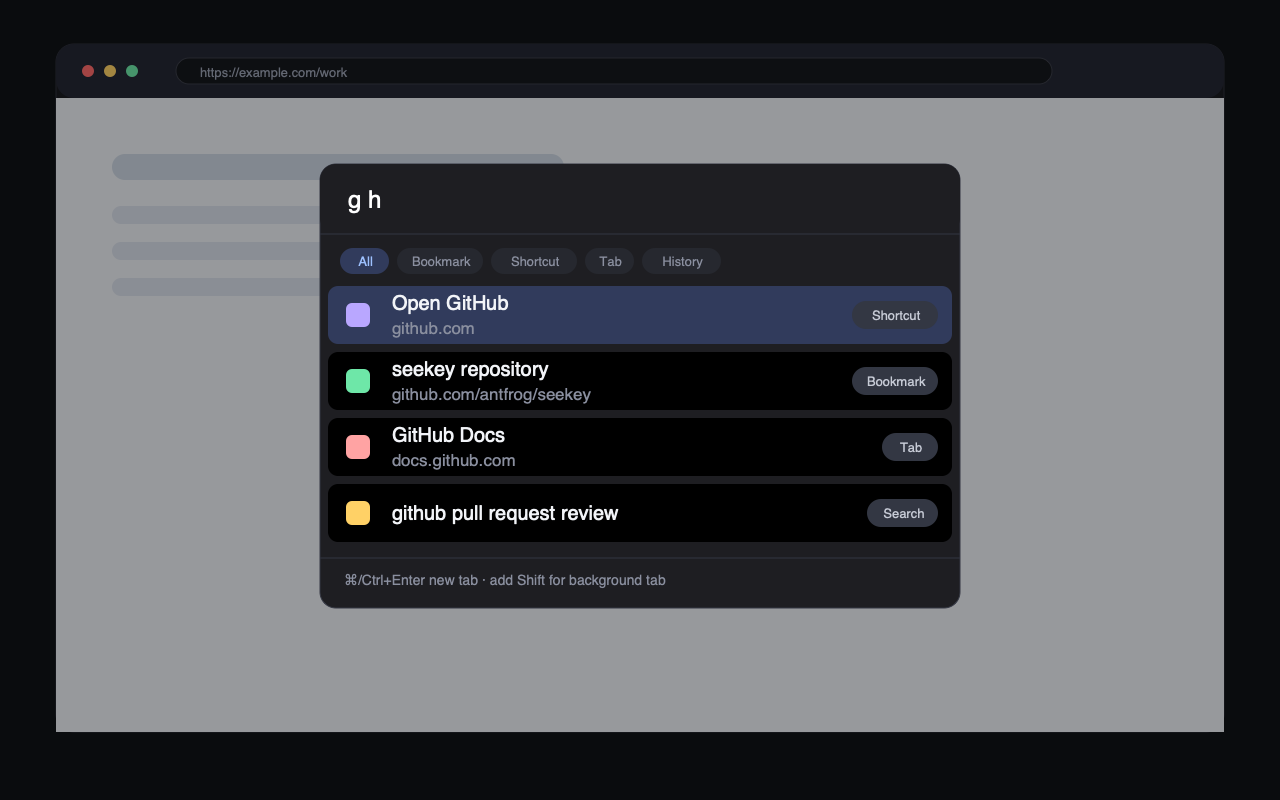
g h surfaces your GitHub shortcut above regular results.Keyboard reference
| Keys | Action |
|---|---|
| ; (configurable) | Open the search palette on the current page |
| ↑/↓ or Ctrl+J/K | Move selection one row |
| Ctrl+F/B, Ctrl+N/P | Move selection half a page / a full page |
| Ctrl+H/L | Cycle views: all / bookmarks / shortcuts / tabs / history |
| Enter | Open in the current tab (tab results switch to that tab) |
| ⌘/Ctrl+Enter | Open in a new tab (Shift for a background tab) |
| Esc | Close the palette |
Make it yours
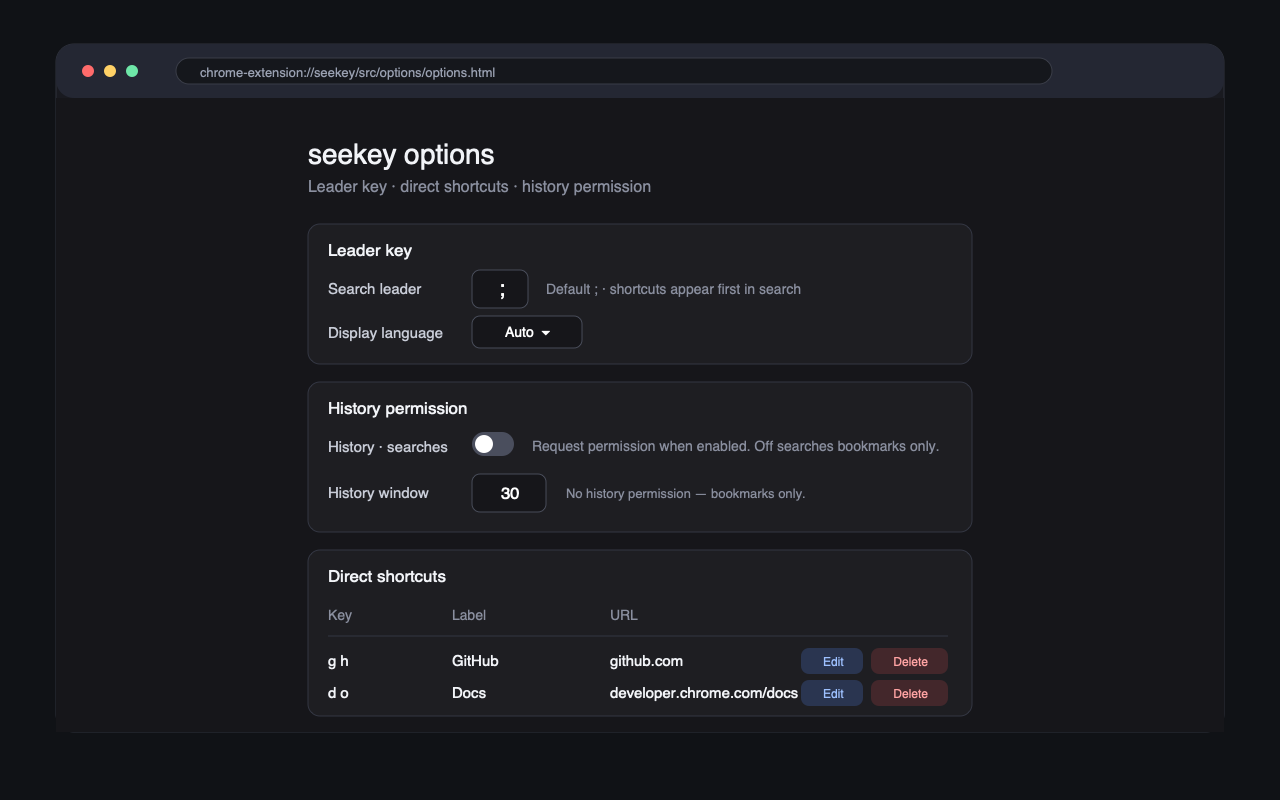
The options page lets you change the search leader key, pick the display language, manage direct shortcut bindings with conflict warnings, and turn history search on or off.
Private by design
All matching, fuzzy search, and ranking runs locally in your browser. seekey does not send bookmarks, history, search terms, settings, or shortcut bindings to any server, and it has no telemetry, analytics, or ads.
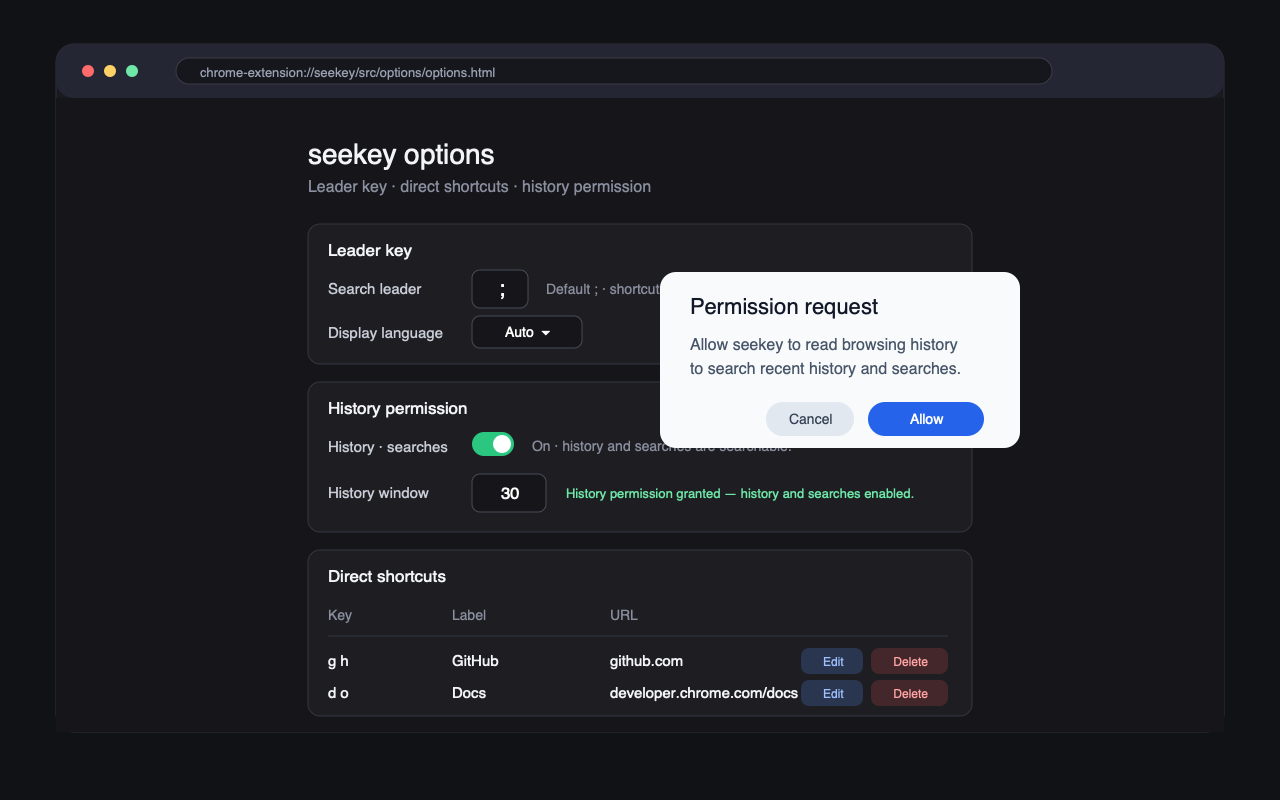
History search is optional and off by default. Chrome asks for the
history permission only when you enable it in the options page; until then,
seekey searches bookmarks, open tabs, and direct shortcuts only.
| Permission | Why seekey needs it |
|---|---|
bookmarks |
Show your bookmarks as searchable results |
storage |
Save settings and direct shortcut bindings |
favicon |
Display site icons next to results |
<all_urls> |
Detect the leader key and render the palette overlay on ordinary pages |
history (optional) |
Search recent history and past Google search terms — only if you turn it on |
See the full privacy policy for details.